Managing your Google Business Profile is one of the simplest and most effective ways to strengthen your local visibility and keep customers engaged. Yet many business owners overlook an important part of this process: giving the right people access.
Adding a trusted user to your profile helps you:
- split the workload,
- keep business information up to date & accurate,
- respond to customers faster,
- and keep your online presence consistent across platforms.
In this guide, you will learn the exact steps to add new users to your Google Business Profile. The process is quick, and once complete, you can delegate updates, photo uploads, post publishing, and ongoing optimization with confidence.
For many business owners, this becomes the first step toward a stronger and more scalable local search strategy.
Note: You must have Owner or Primary Owner access to add other users to a Business Profile.
Go to Your Business Profile
Sign in to Google and search for your business name or go directly to business.google.com.
Business Profile Settings
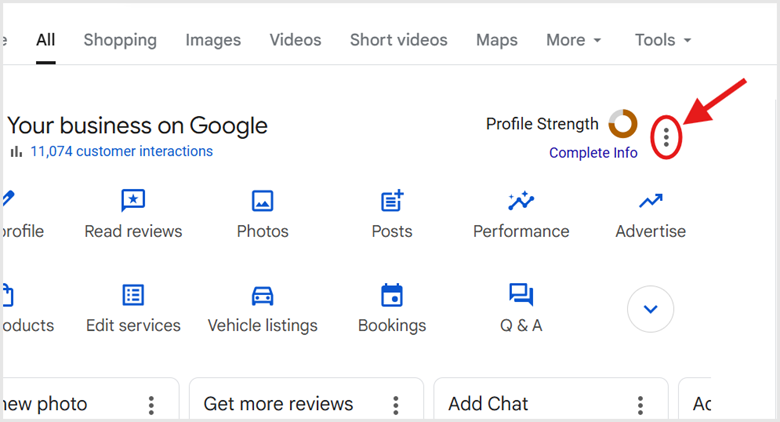
Click the three dots next to “Profile strength” and select Business Profile settings. In the profile management area that appears (usually a panel directly in search results), click the three-dots icon (⋮) for the menu.
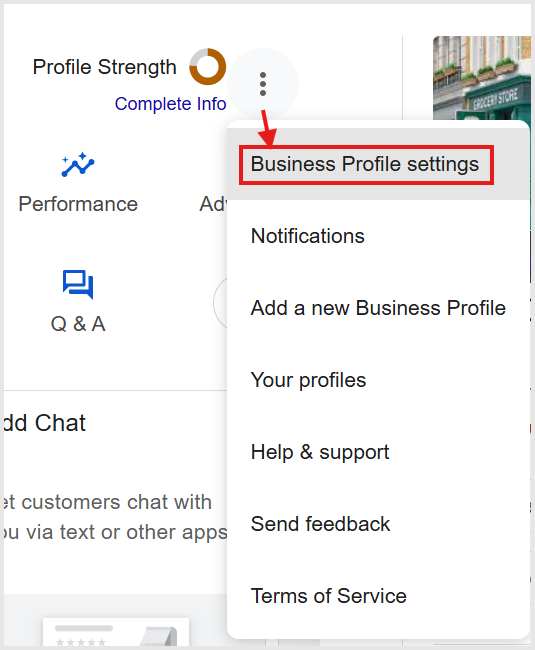
Then select Business Profile settings.
You must be signed into the Google account that owns the business profile listing to invite users. If you do not see your business profile in the results page after logging in, try these troubleshooting steps.
Navigate to People and Access
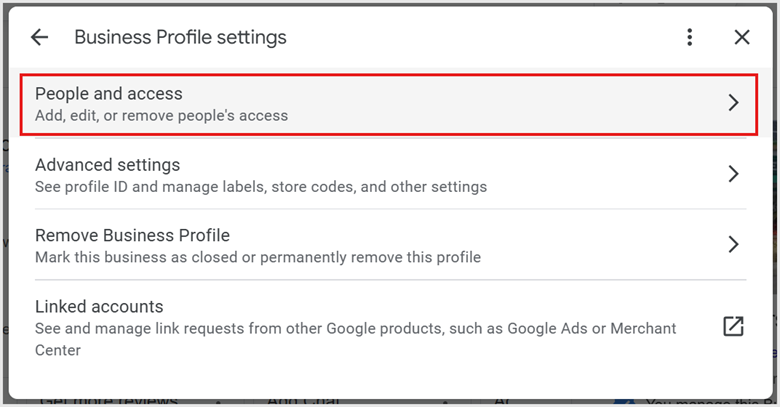
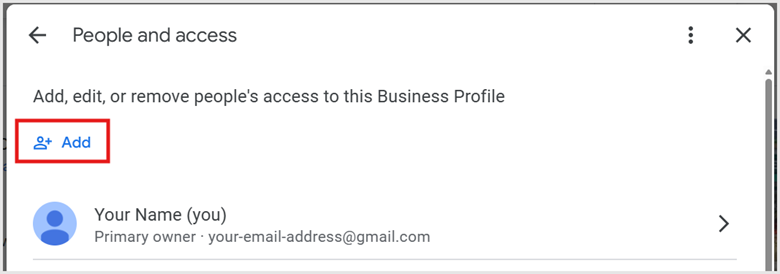
In the business profile settings menu, click on People and access.
Enter User Details
Click the Add button.
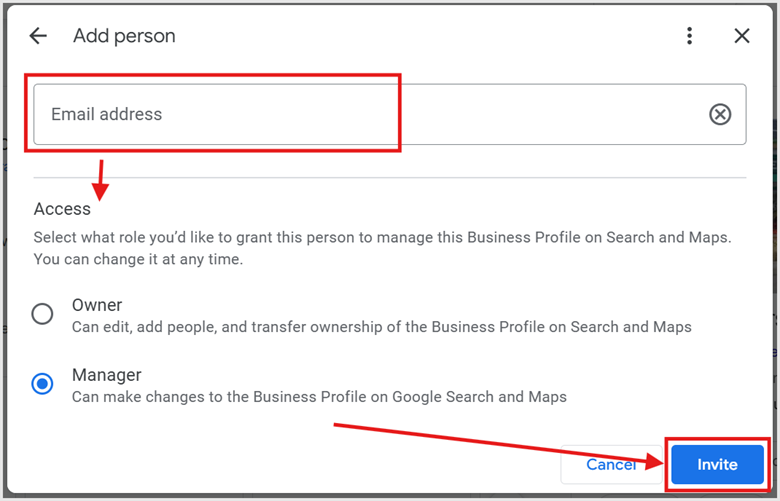
Type the user’s email address and select their role: Manager or Owner.
- Owner: Has full control, can add or remove users, and transfer ownership.
- Manager: Can make edits, add photos, and respond to reviews, but cannot manage other users.
For a full breakdown of the capabilities of roles, view the Google Business Profile Help documentation.
Send the Invitation
Click Invite. The user will receive an email to accept the invitation.
Level Up Your Local Presence
Adding users to your Google Business Profile is a strategic move toward scalable management and better customer service. By delegating access to a trusted team member or agency partner, you ensure that your profile remains active, accurate, and responsive without carrying the entire workload yourself.
Whether you are bringing on a manager to handle daily updates or an owner to help oversee growth, this setup provides the security and flexibility needed to maintain a professional local presence online.
When you’re ready to take things to the next level, check out our local SEO campaigns and PPC for lead generation.